01
Kiln Schedule Designer
A clearer way to configure, read and communicate technical glass firing schedules.
At a glance
Project snapshot
- Audience
- Glass artists and instructors who need to plan firing schedules and explain heatwork decisions with confidence.
- Studio role
- Product strategy, UX/UI, schedule interaction design and implementation for a specialist planning tool.
- Working interface
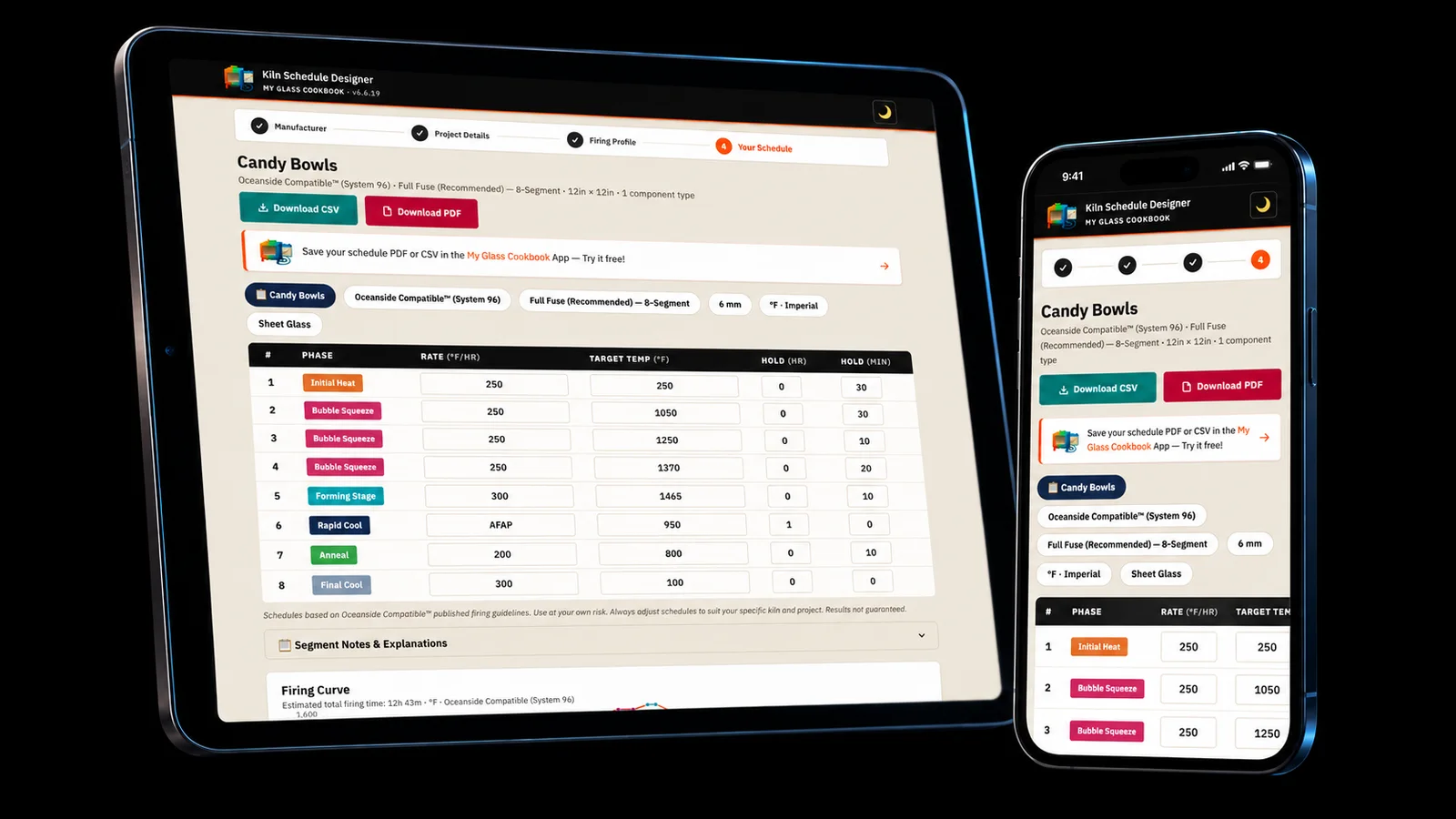
- Kiln Schedule Designer turns schedule segments into a readable planning interface with a visual curve and editable schedule structure.
- Current state
- Live · in active development
01 The product
What artists can do with it
Kiln Schedule Designer turns schedule segments into a readable planning interface with a visual curve and editable schedule structure.
It helps artists understand what the kiln is being asked to do and share a schedule in a form that is easier to review.

02 Why it matters
The problem it solves
Kiln schedules are technical, easy to misread and often hard to discuss when they live only as tables of temperatures and holds.
A clearer way to configure, read and communicate technical glass firing schedules.
03 Workflow
How the product helps artists
02
Read the firing plan as both data and curve.
03
Communicate a schedule more clearly for studio use or instruction.
In use
A firing plan artists can read at the kiln
Kiln Schedule Designer has to make heatwork easier to discuss when an artist is checking project inputs, reviewing a curve or monitoring a firing in progress.
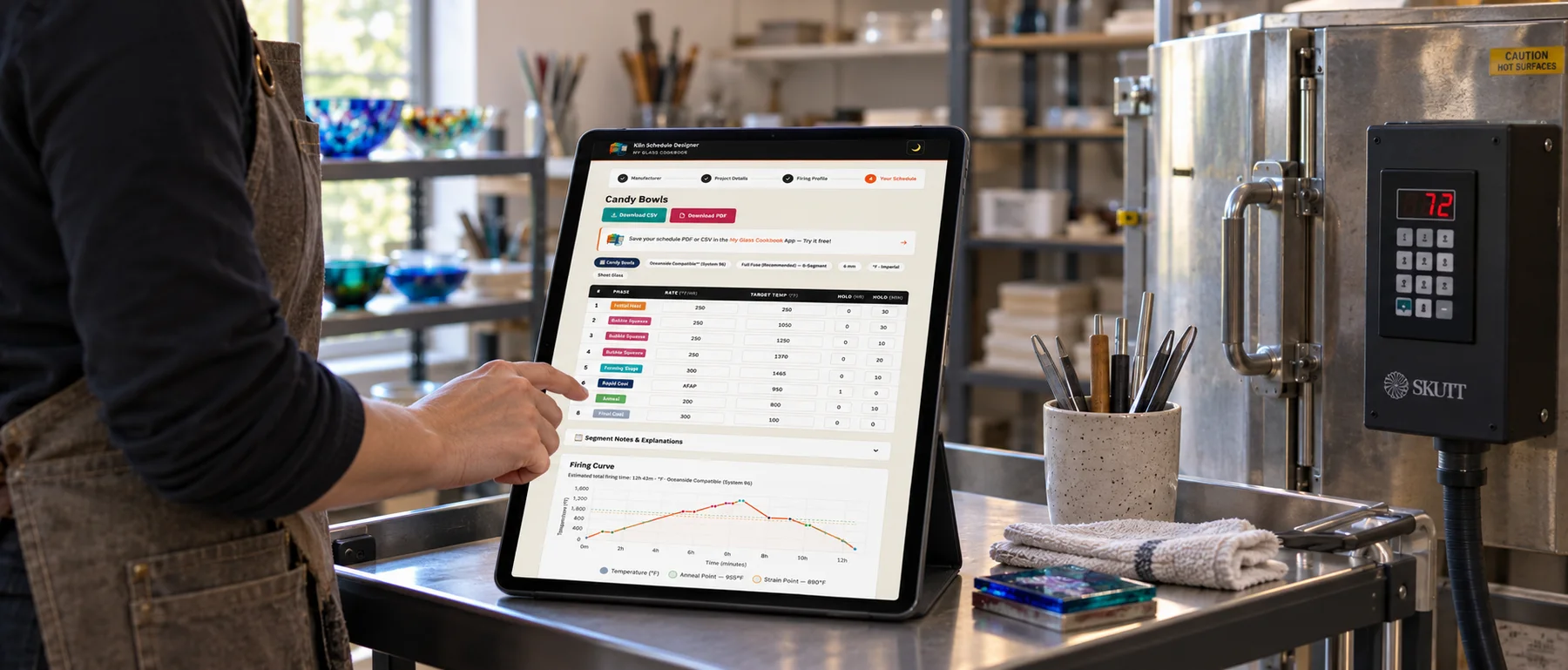
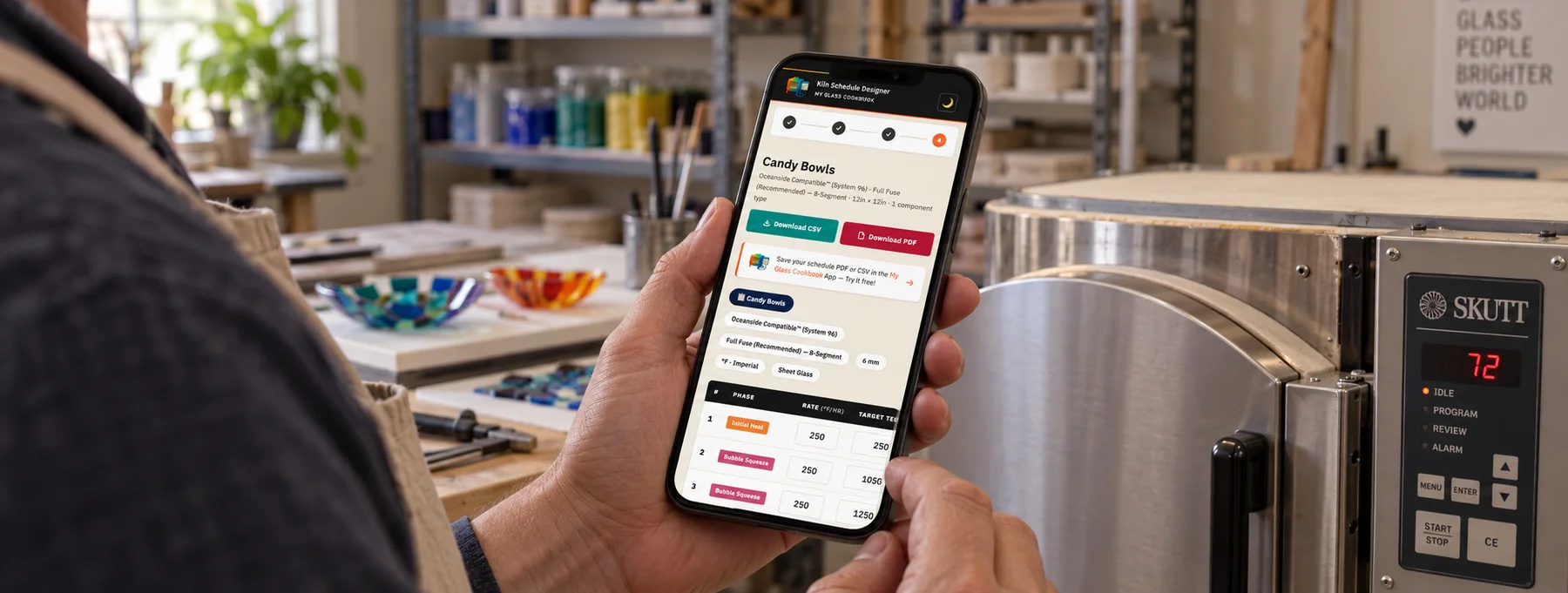
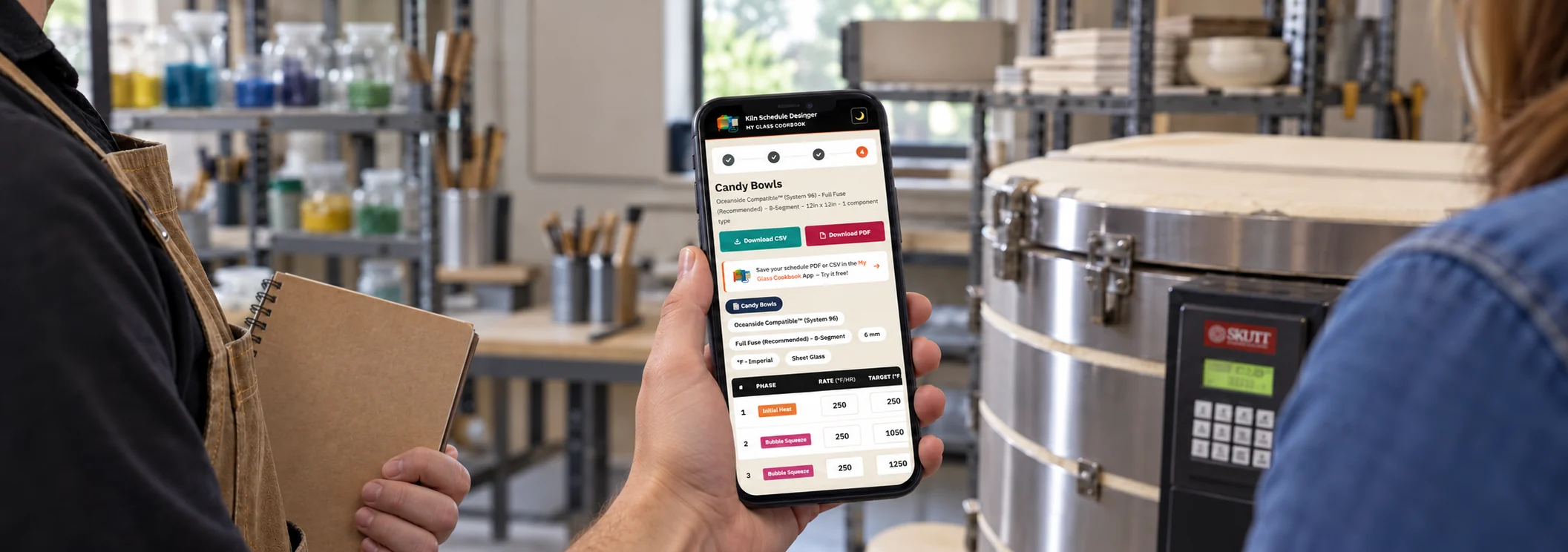
Tablet beside a closed kiln
04 See the product
The schedule builder and firing monitor

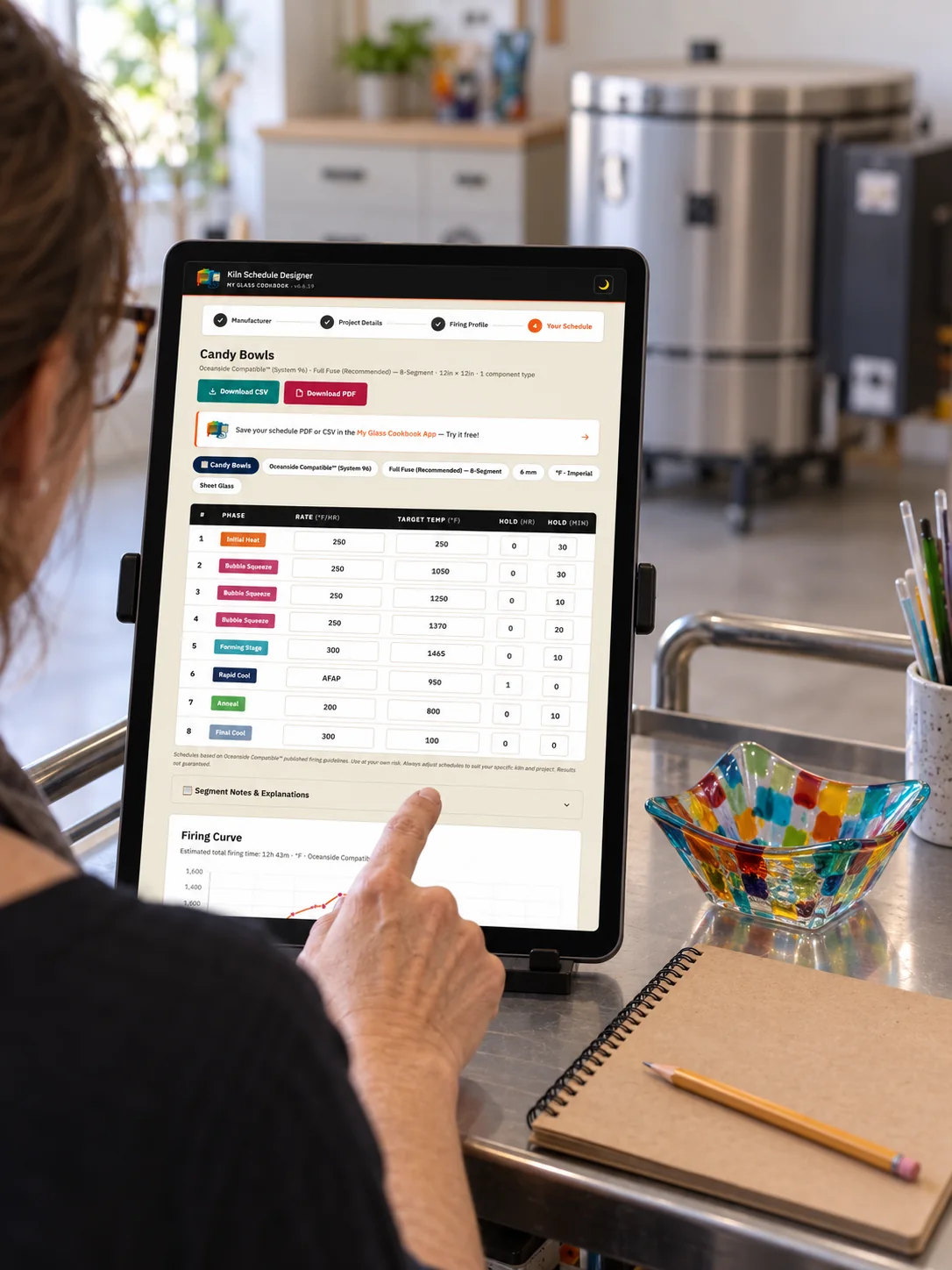
These screens show how project details, generated segments, the firing curve and active monitor stay connected through the schedule workflow.
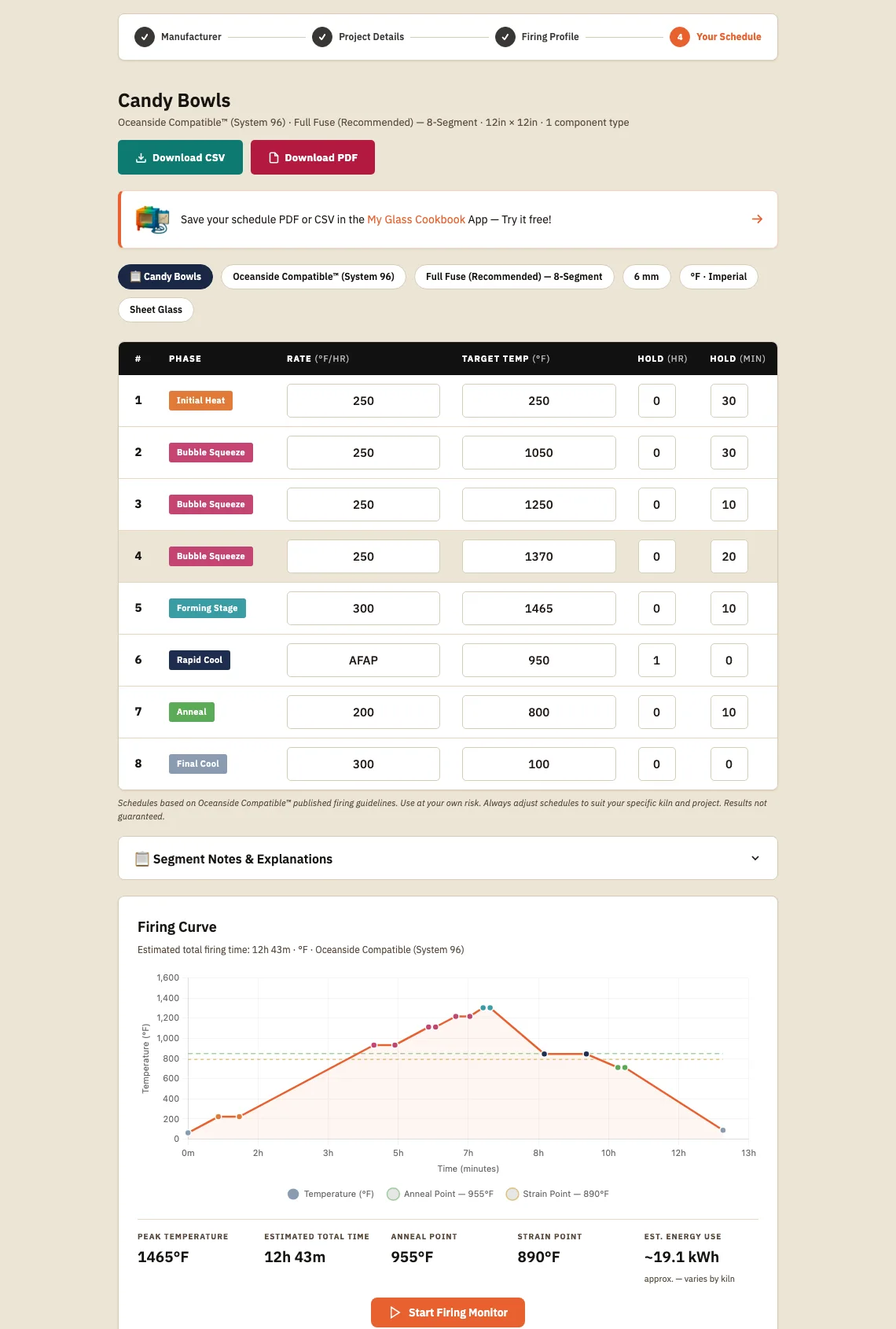
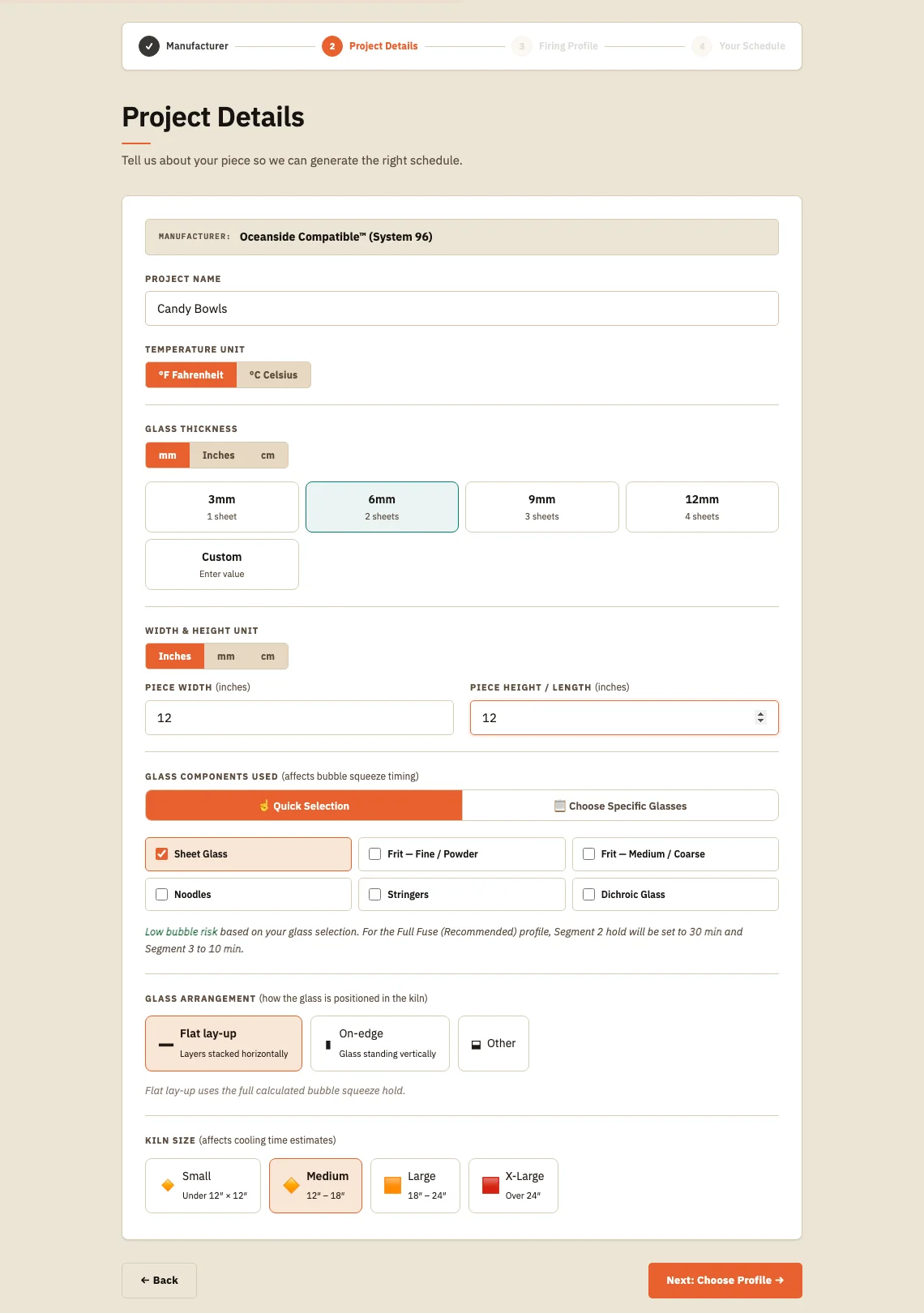
In the product 01
Keep project inputs explicit
Candy Bowls records manufacturer, thickness, dimensions, glass components, arrangement and kiln size before proposing a firing profile.
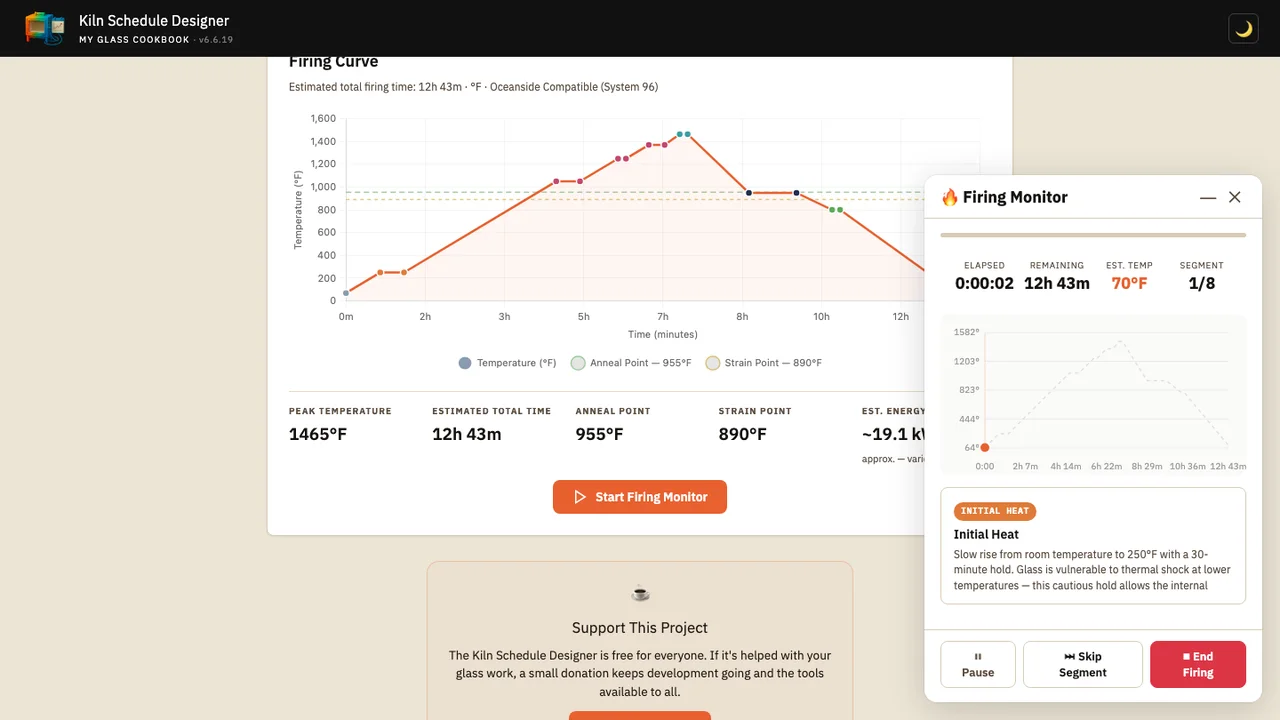
In the product 02
Read heatwork while the kiln is running
The firing curve and monitor connect the Candy Bowls plan to elapsed time, remaining time, estimated temperature and the active segment, with explicit pause, skip and end controls.
Moving walkthrough
See the sequence in motion
A short walkthrough from setup to schedule review and firing monitor.
05 Why it works this way
Choices shaped by the studio workflow
Make the curve meaningful
The visual curve supports comprehension instead of decorating a technical table.
Keep manufacturer systems separate
The tool warns that manufacturer-specific schedules must not be mixed and requires artists to acknowledge that generated schedules are starting points rather than guarantees.
Show the sequence, not just the table
A short walkthrough makes the schedule-building workflow easier to understand at a glance.
06 Related My Glass Cookbook projects
MGC Portal
A free learning and resource hub for glass artists, with links to hundreds of videos, articles, manufacturer resources, catalogs, classes and community places around the world.
Explore next →Template Studio
A digital workflow for planning practical glass layouts and stained-glass template work.
Explore next →My Glass Cookbook App
A mobile-oriented studio reference app for preserving project, schedule, mold, kiln, dealer and reference workflows.
Explore next →