01

Template Studio
A digital workflow for planning practical glass layouts and stained-glass template work.
At a glance
Project snapshot
- Audience
- Artists planning templates, sheet use and layout decisions before committing to cutting or handoff.
- Studio role
- Product strategy, interface design, planning workflow definition and implementation for the Template Studio experience.
- Working interface
- Template Studio brings layout planning into a focused digital workspace and can support handoff from Palette where that relationship is useful for the artist workflow.
- Current state
- Live · in active development
01 The product
What artists can do with it
Template Studio brings layout planning into a focused digital workspace and can support handoff from Palette where that relationship is useful for the artist workflow.
It makes practical planning easier to review, adjust and communicate before materials are cut.

02 Why it matters
The problem it solves
Pattern and layout planning often moves between sketches, printed templates, material notes and separate colour decisions.
A digital workflow for planning practical glass layouts and stained-glass template work.
03 Workflow
How the product helps artists
02
Plan glass placement with awareness of material choices.
03
Move decisions toward a clearer studio handoff.
In use
Pattern planning before the glass is cut
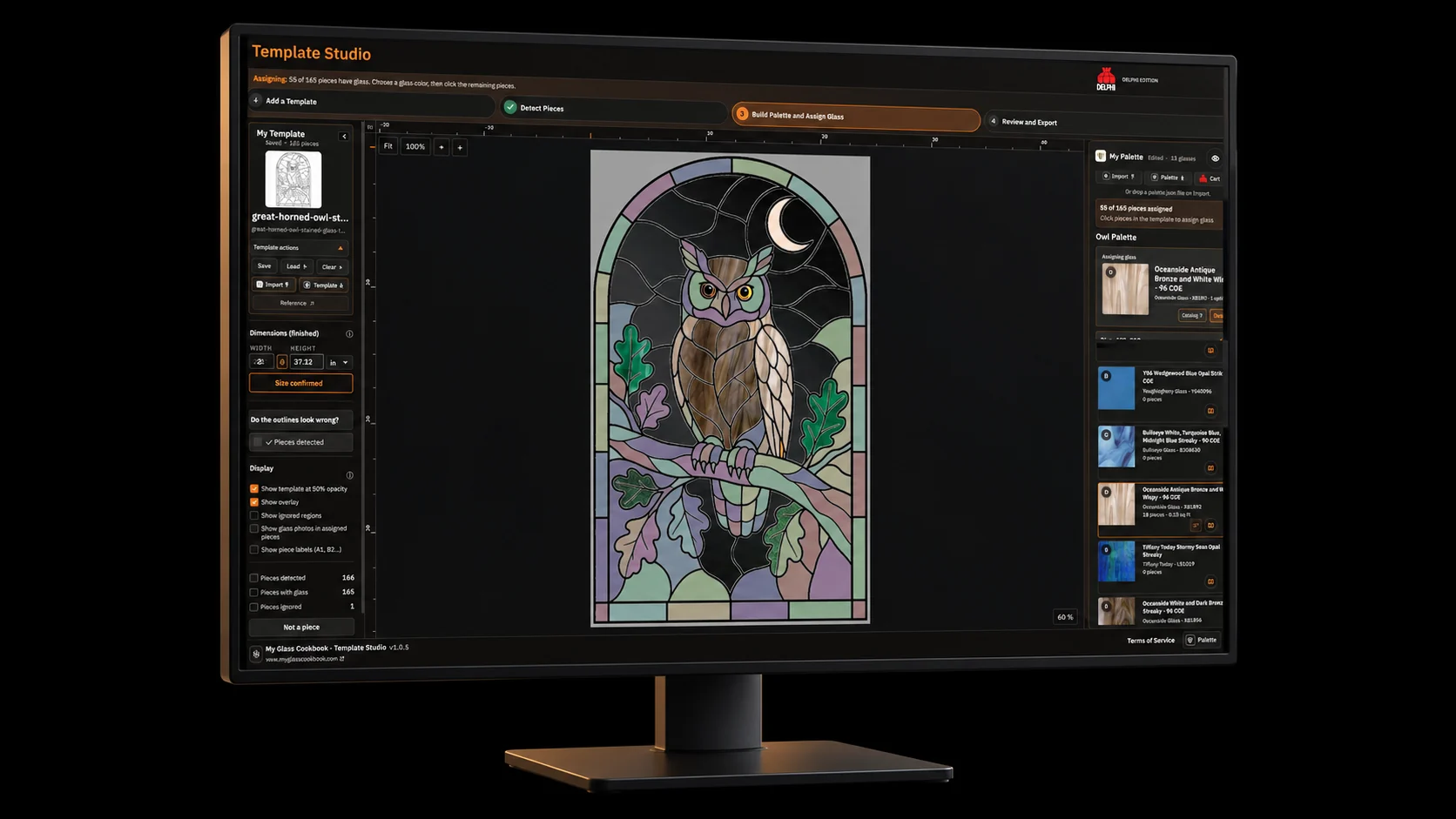
Template Studio needs a larger planning surface because artists are checking shape, scale, labels, assignments and material readiness at the same time.
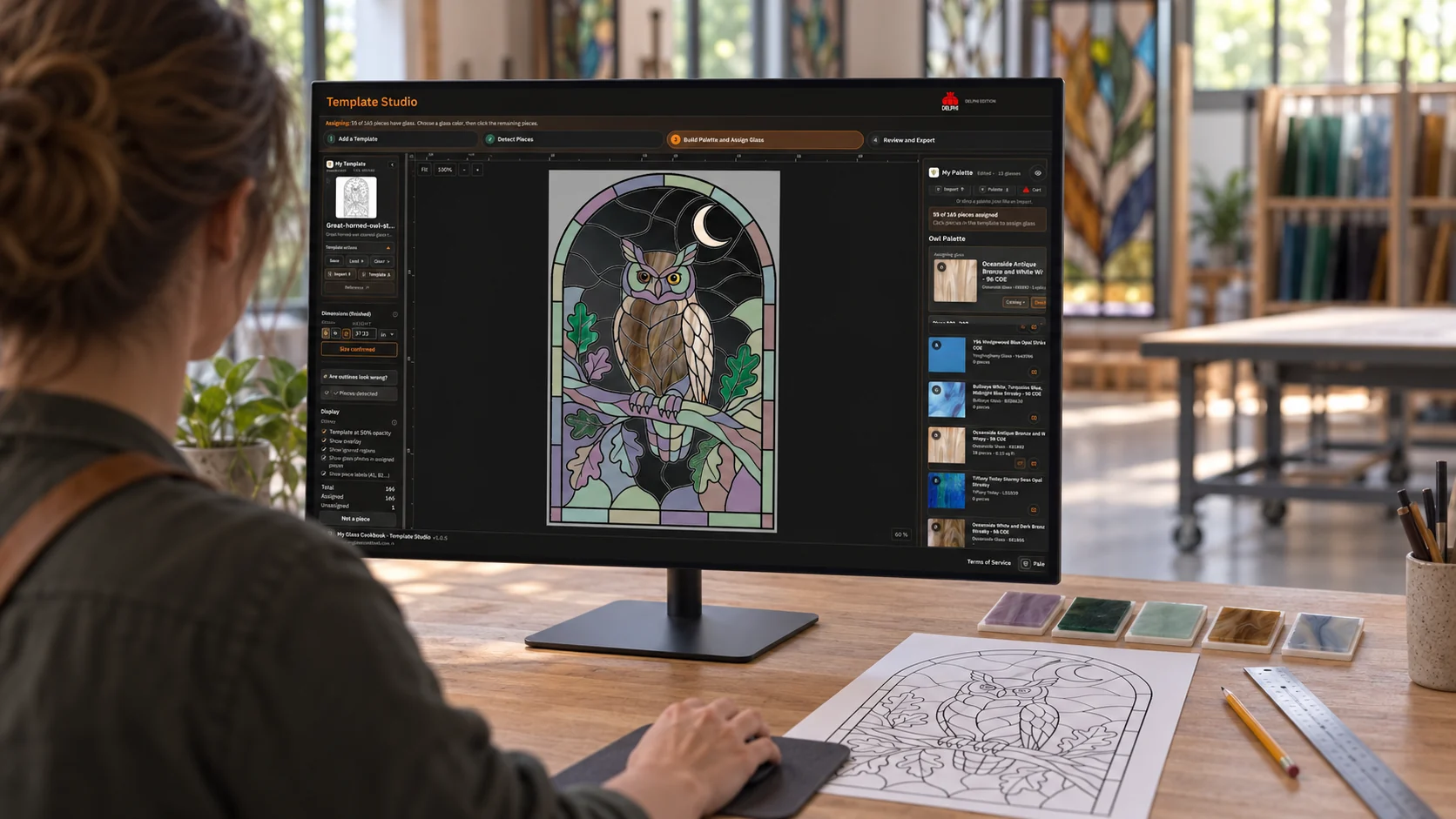
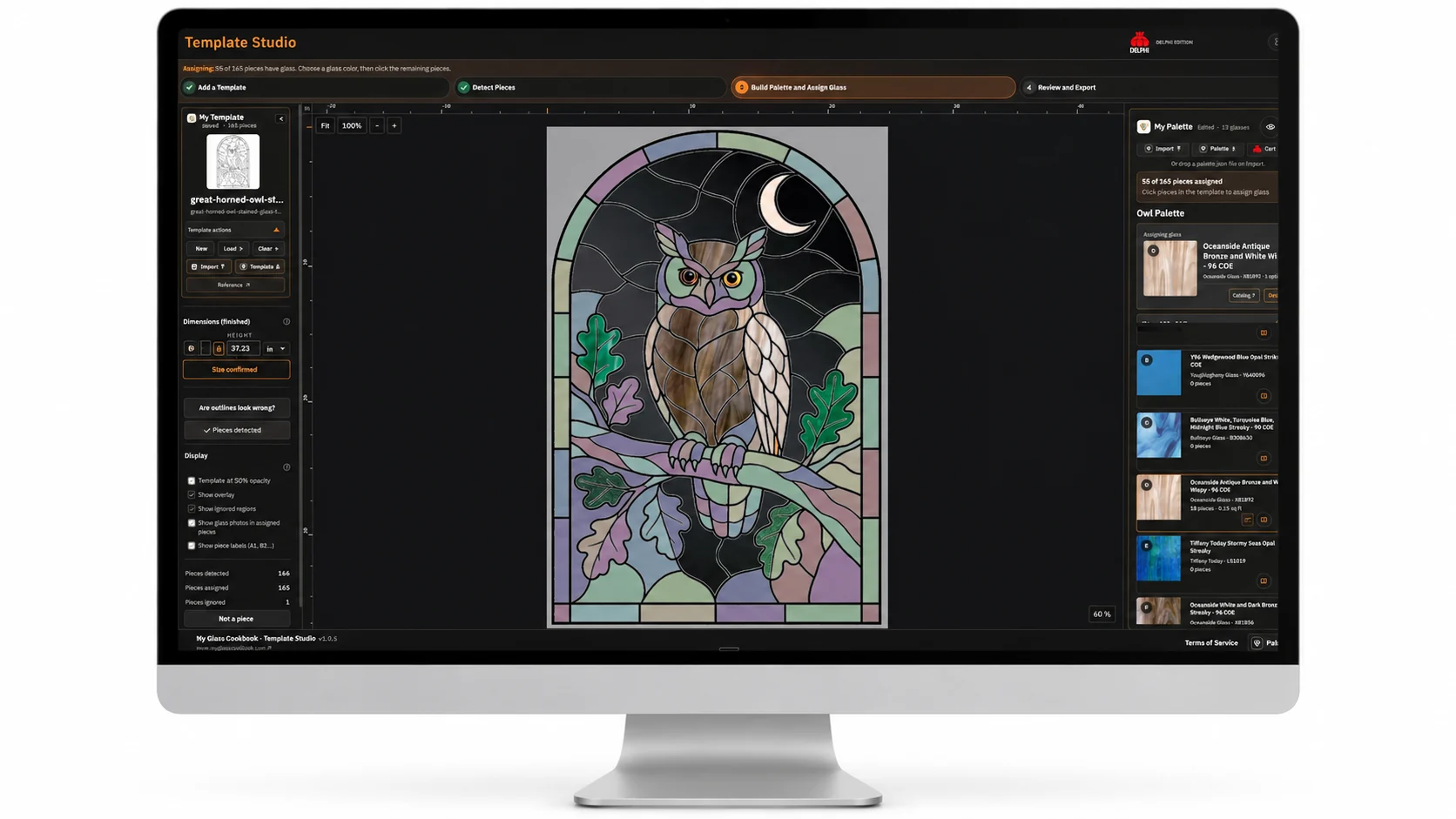
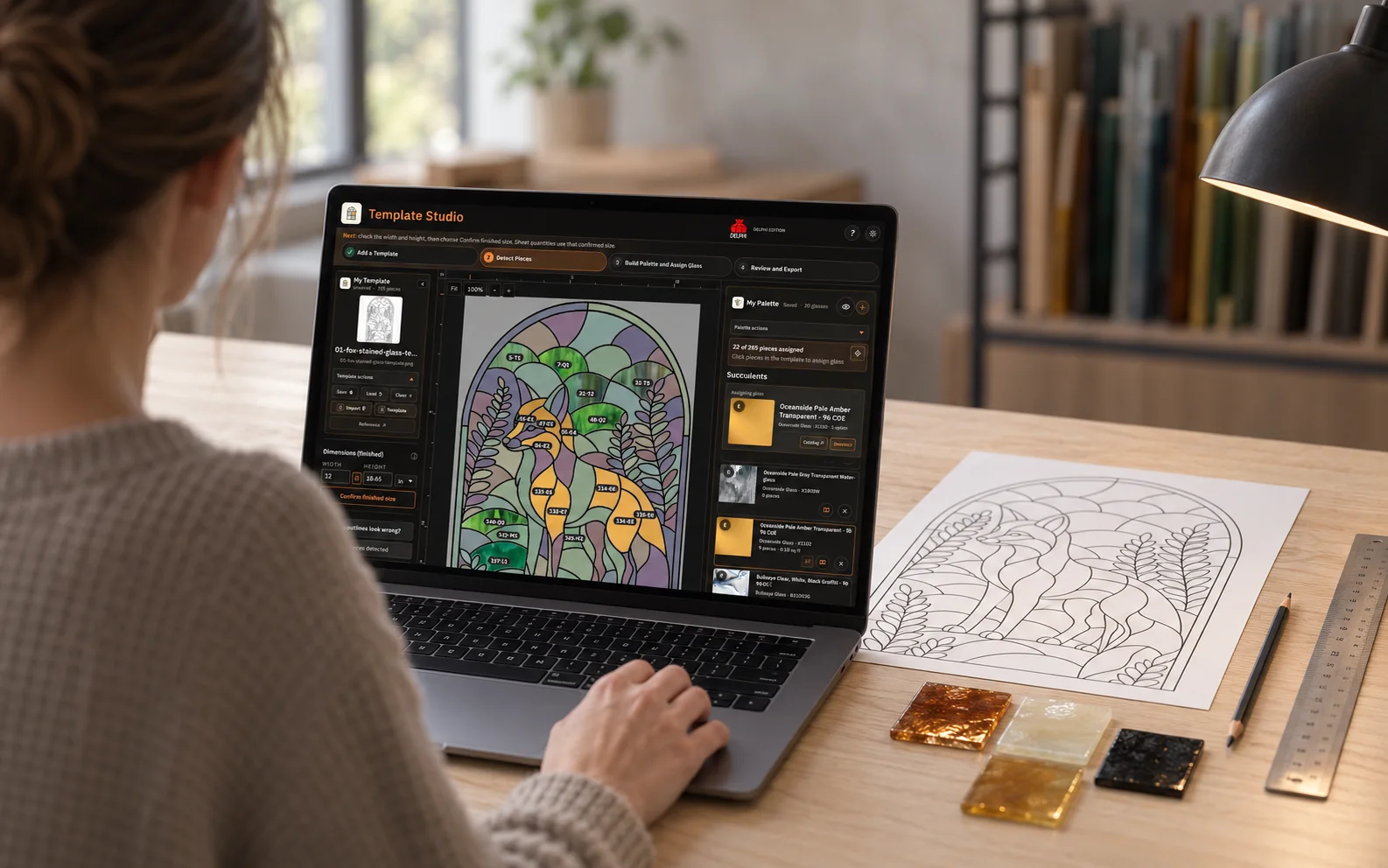
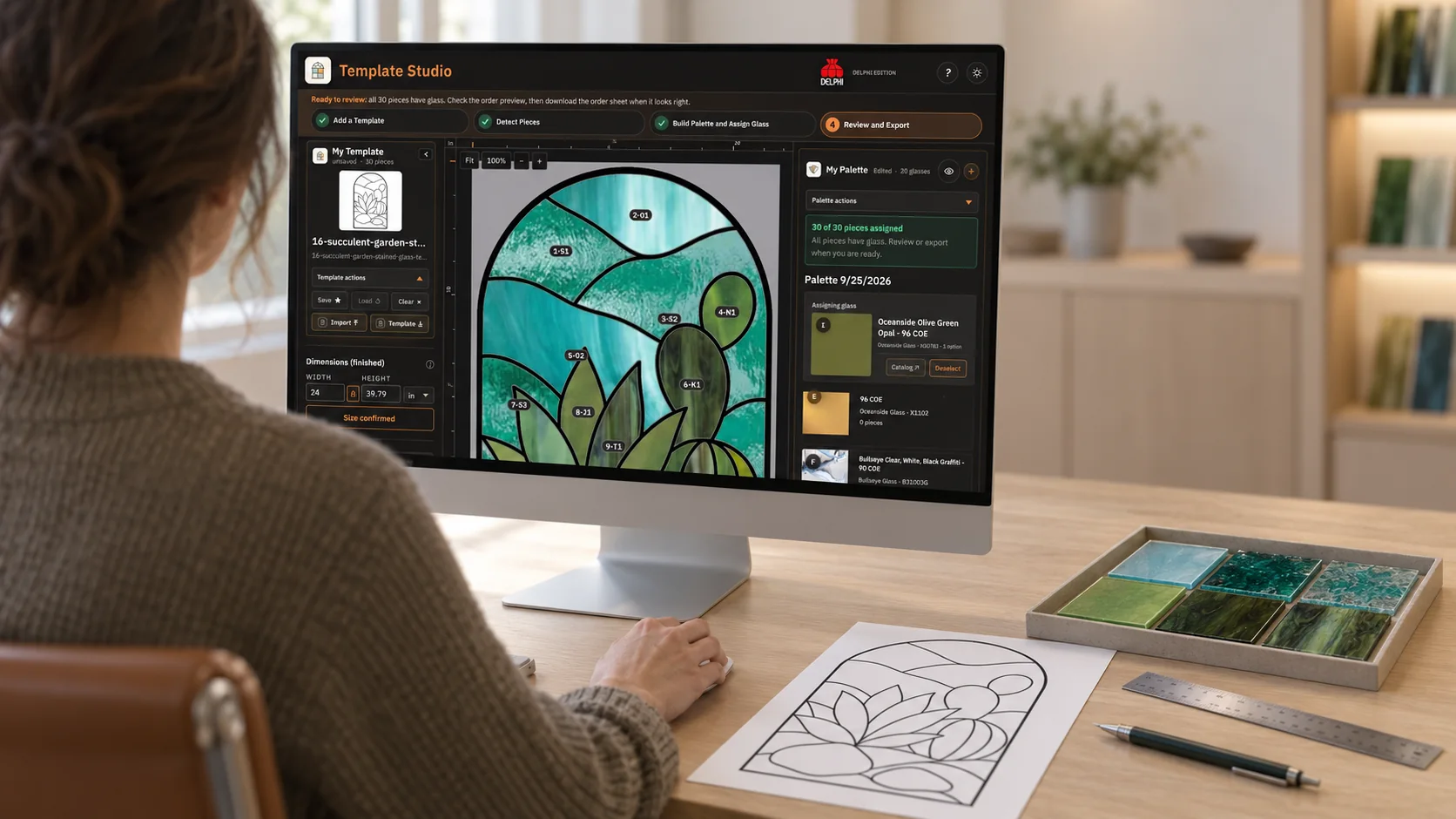
Owl workspace in the studio
04 Inside the build
Built for the way artists work

The technical choices support the same practical workflow as the interface.
Technical detail 01
Hybrid canvas and SVG workspace
A raster canvas holds the template image while an interactive SVG overlay represents detected pieces, labels, selections and glass assignments.
Technical detail 02
Local-first project files
Template state can persist in the browser, and .tstudio.json files carry the image, dimensions, detected pieces, assignments and active glass choices.
Technical detail 03
Explicit cross-product handoff
Template Studio imports exact sheet-glass choices from .palette.json files, preserving a review boundary between colour planning and pattern assignment.
05 See the product
The pattern and handoff workspace
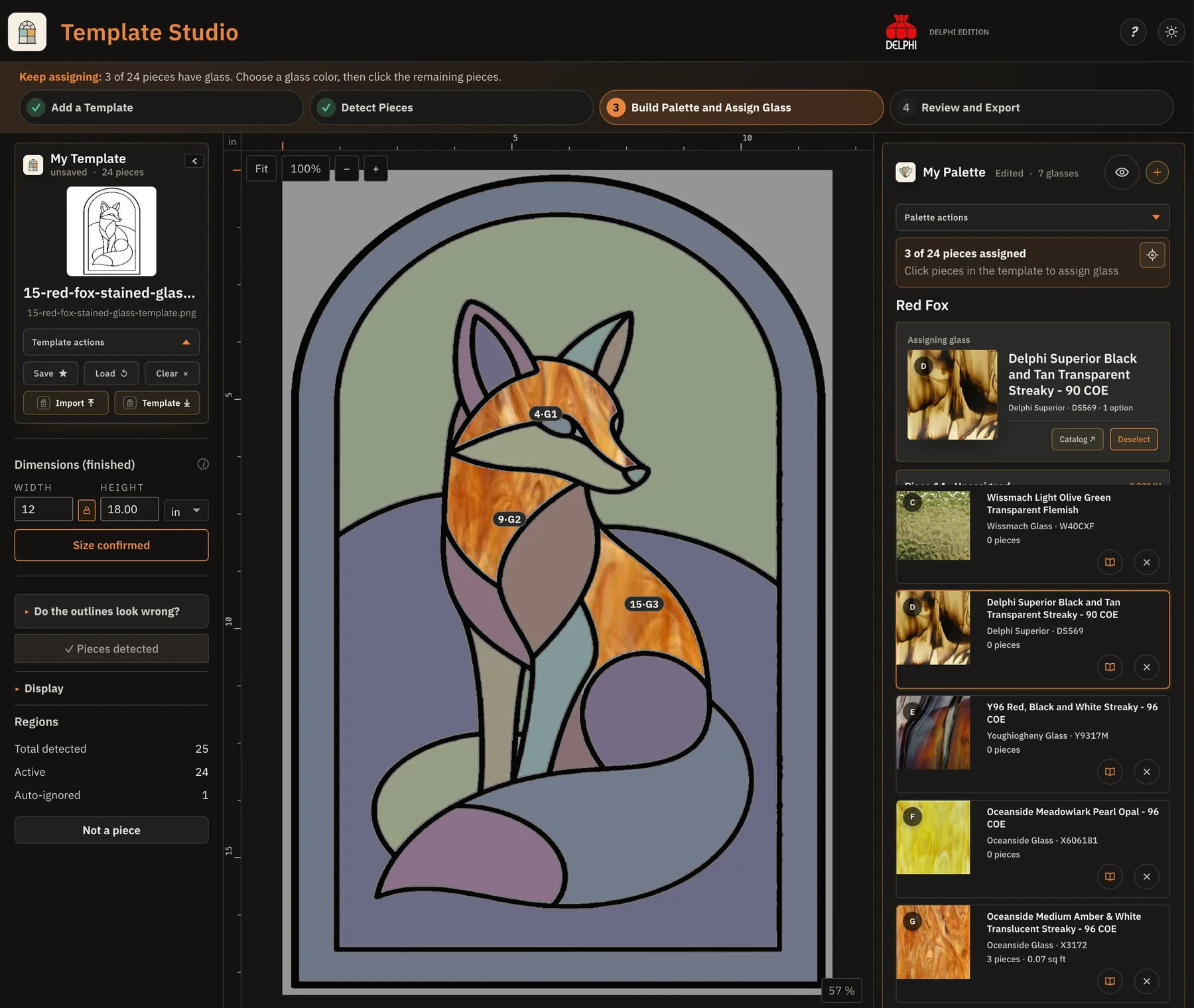
These screens show how a template becomes labelled pieces, assigned glass and reviewable order lines before material decisions leave the studio.
In the product 01
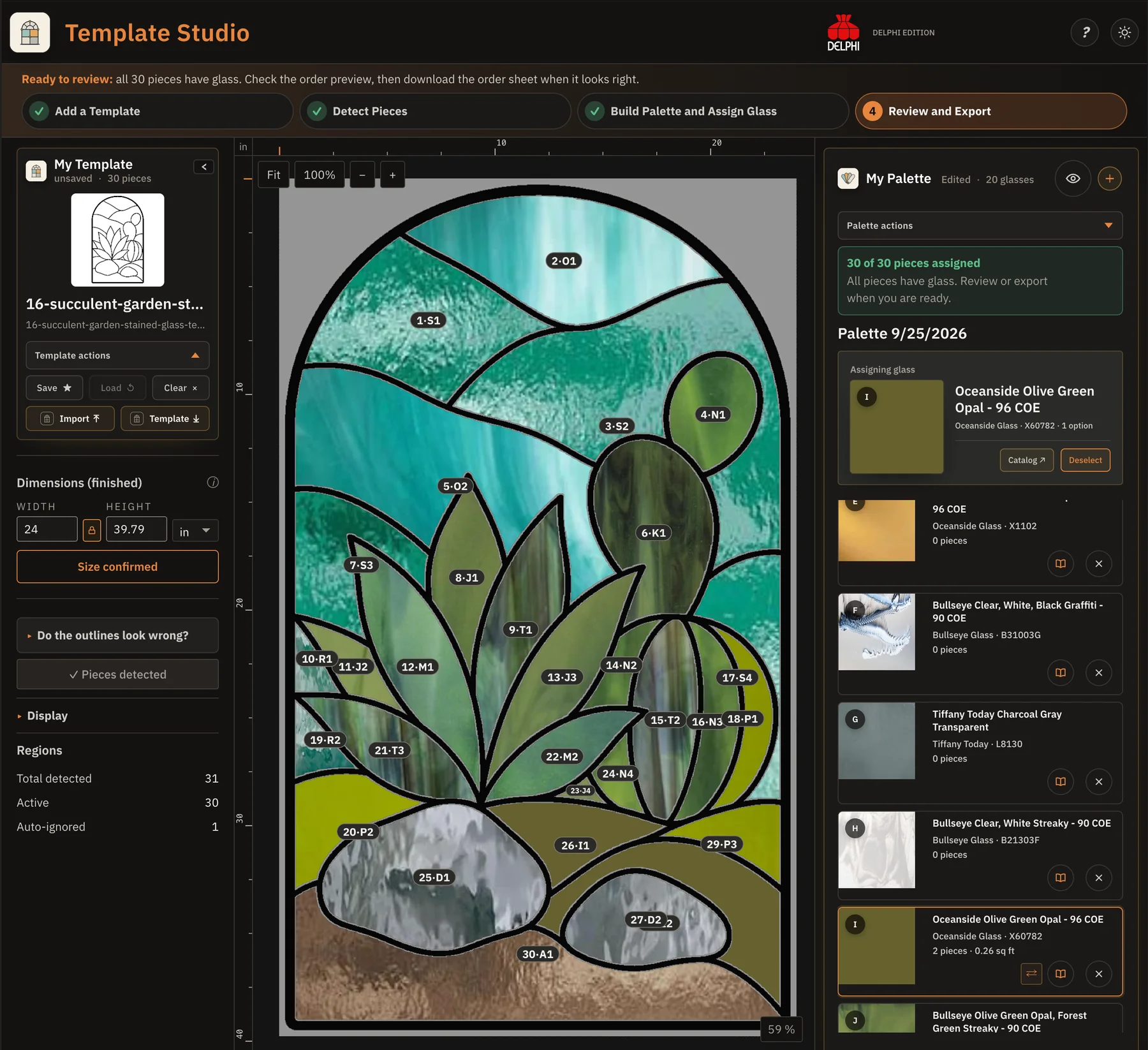
Review the complete pattern as a glass plan
The current completed-plan state keeps the full succulent panel, detected pieces, confirmed dimensions, assigned Delphi glass and export readiness visible together before material is cut or ordered.
In the product 02
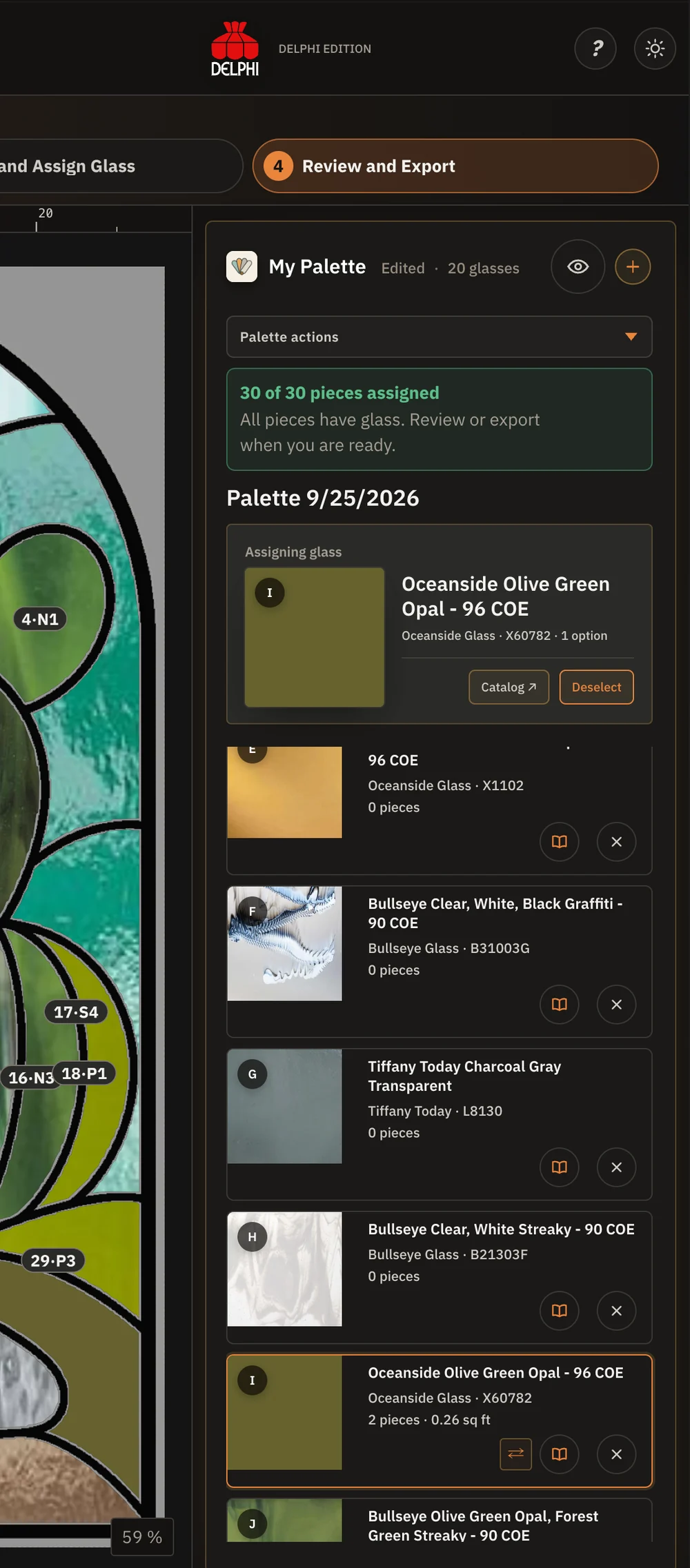
Turn assigned pieces into a reviewable order
The current Review and Export panel gathers assigned sheet glass, estimated material with breakage, exact order sizes and quantities into validated lines before the artist continues to Delphi.
06 Why it works this way
Choices shaped by the studio workflow
Design for the work surface
The workflow is treated as a practical planning surface rather than a phone-compressed editor.
Connect without overclaiming
Palette handoff is described as part of the workflow without implying every planning step is already automated.
Measure the design, not the file container
For SVG templates, finished width follows the extracted design geometry rather than trusting a conflicting viewBox that could produce the wrong physical cut-file scale.
07 Related My Glass Cookbook projects
Palette
A planning tool for exploring glass colour, compatibility and material choices before work moves to the bench. Palette connects to more than 2,400 unique glasses from 10 fused and stained-glass manufacturers.
Explore next →MGC Portal
A free learning and resource hub for glass artists, with links to hundreds of videos, articles, manufacturer resources, catalogs, classes and community places around the world.
Explore next →Kiln Schedule Designer
A clearer way to configure, read and communicate technical glass firing schedules.
Explore next →